 Resources
 Campus Life
 Just for you


 My Canyons
  Canvas

Reporting Email
If you receive email that you suspect is junk or phishing (fraudulent email that attempts to retrieve information from a user), you can report it from Outlook.
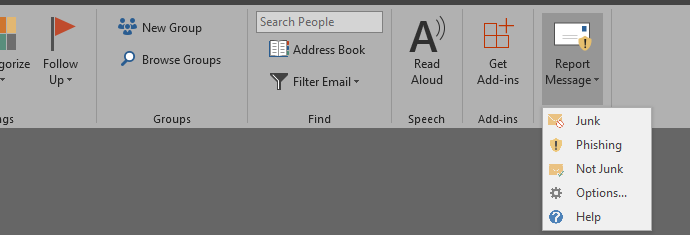
Reporting Mail from Your Desktop
Select a message, and from the home tab, choose report message, and choose an option.
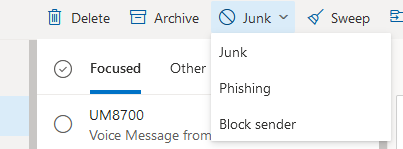
Reporting Mail from Office 365
Select a message, and from the Junk menu, choose an option.