Warning: include(/var/www/html/outest/alerts/index.php): Failed to open stream: No such file or directory in /var/www/html/outest/administration/it/iis/mycanyons/index.php on line 29

Warning: include(): Failed opening '/var/www/html/outest/alerts/index.php' for inclusion (include_path='.:/usr/share/pear:/usr/share/php') in /var/www/html/outest/administration/it/iis/mycanyons/index.php on line 29

My Canyons

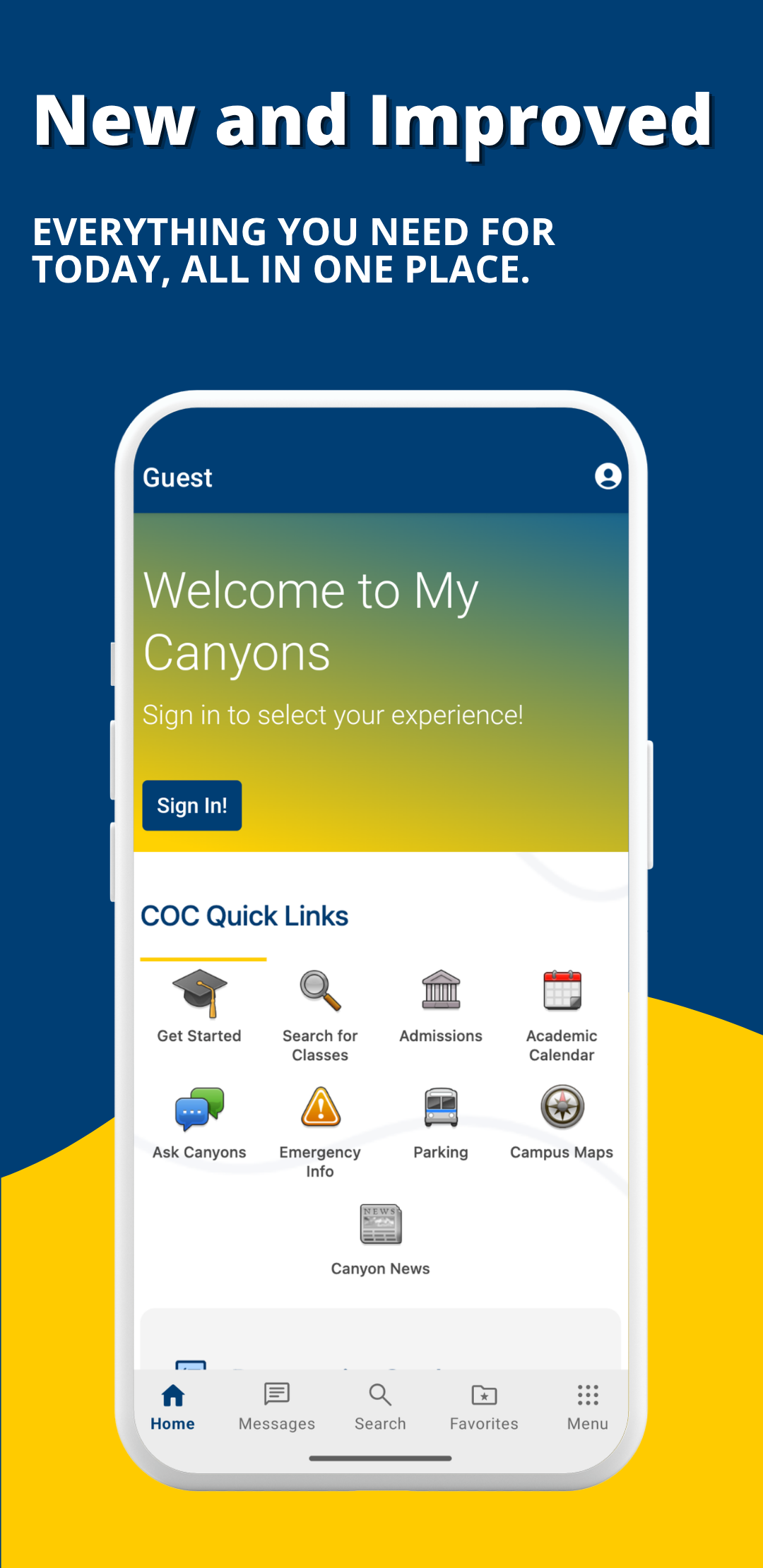
A new version of My Canyons is here!

The current My Canyons application, both desktop and mobile application versions, was replaced on June 17.

My Canyons allows convenient access to the college's academic resources, information, and gives you the ability to personalize information on your desktop or mobile device.

Download the new app!

Apple Download QR

Download Apple Store

Google Play QR

Download Google Play Store

Our streamlined mobile app lets you easily access resources you need so you can focus on your education.

Check out the new look Have questions?

New and Improved: Everything you need for today, all in one place

Real-time Update

Real-Time Campus Updates

Stay informed about events, announcements, and news.


Resources

All-in-One Campus Resources

Easily explore available campus resources such as Parking and Transportation, Campus Life, Campus Safety, and more.


Notifications

Personalized Notifications

Receive important alerts tailored to your preferences.


Organized

Cut the clutter

Connect to the content that matters to you. Logging in to My Canyons now gives you a persona choice that tailors content to your role. 


Ideas

What's Next

We're hard at work to bring you features you need to be successful at College of the Canyons.

  • Canvas Integration
  • Advisor/Counselor Information
  • Class Schedules
  • More Opt-in messaging
  • And more...

Frequently Asked Questions

If you are on an iOS device, simply update your My Canyons app, and you'll be good to go!

Android users must dowload the app again to get the new update.

Sign into the app using your Canyons ID login. If you cannot get in, please follow the instructions at the following websites linked:

Desktop Access:

You can view the desktop version in any browser at https://my.canyons.edu.

Mobile Access:

Download the official My Canyons app for free from your mobile device app store:

The old version of My Canyons was very limited in functionality. It can be difficult to navigate with the full tile form-factor that you saw on the old application.

On the morning of June 17th, College of the Canyons launched the first phase of the new mobile app. It comes with a much needed layout change, integrations into campus calendars, directories, and Canvas, and links to all of the campus services you're used to.

We're not stopping here! We plan on launching campus communities to connect you with your most valued resources, class schedules, advisor information, and more. The more connected you are, the easier it is for you to focus on your education.

When logged into your My Canyons, at the bottom of any screen, you’ll see a Feedback button. This will allow you to provide us with your thoughts.

If you are having trouble logging into the new My Canyons, please review the “How do I sign in?” question above, or contact Admissions & Records: 661-362-3280.

If you are having trouble navigating in the new My Canyons, please contact our Welcome Center staff for assistance: 661-362-3457.